Ready for Your Custom Savings Illustration?
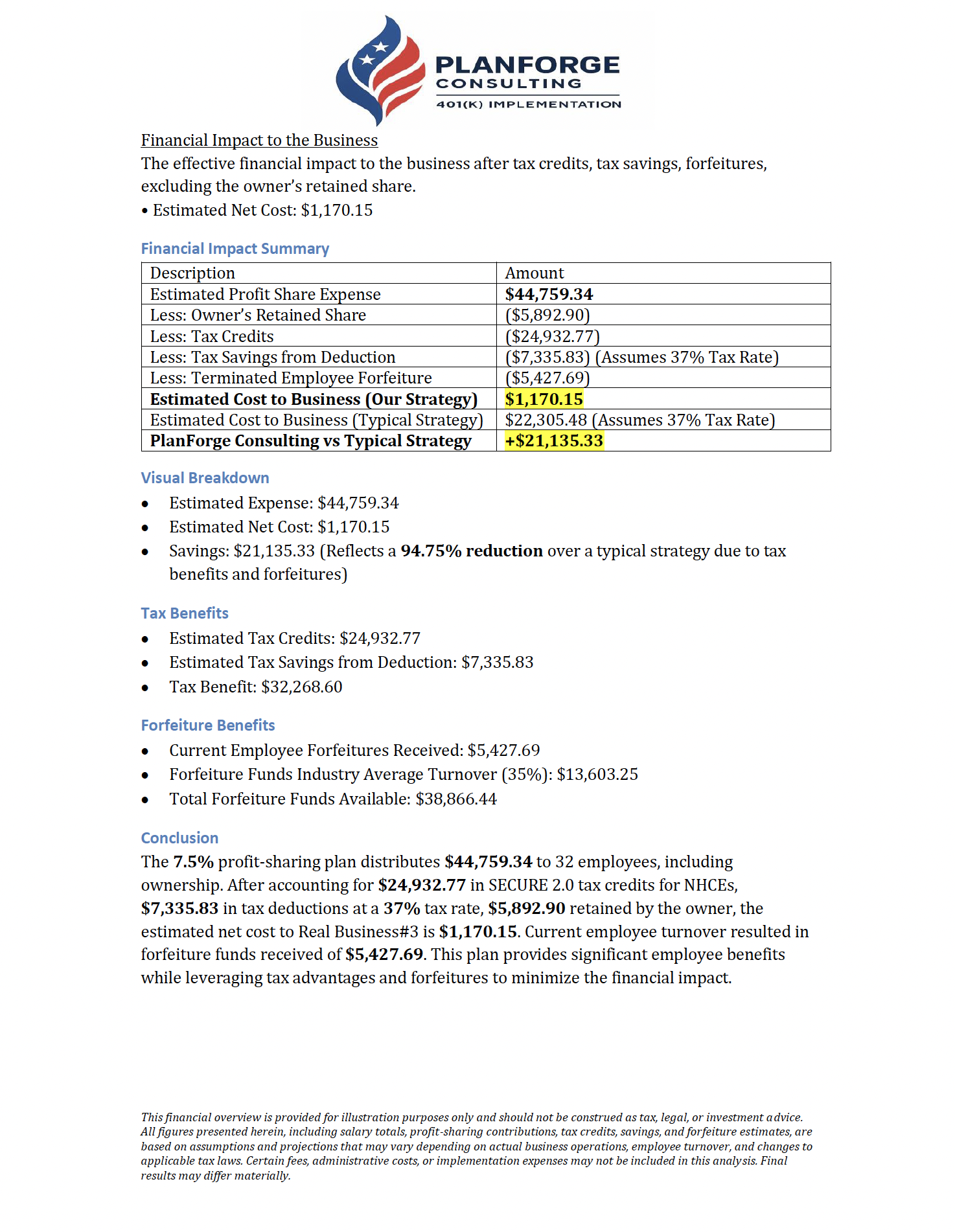
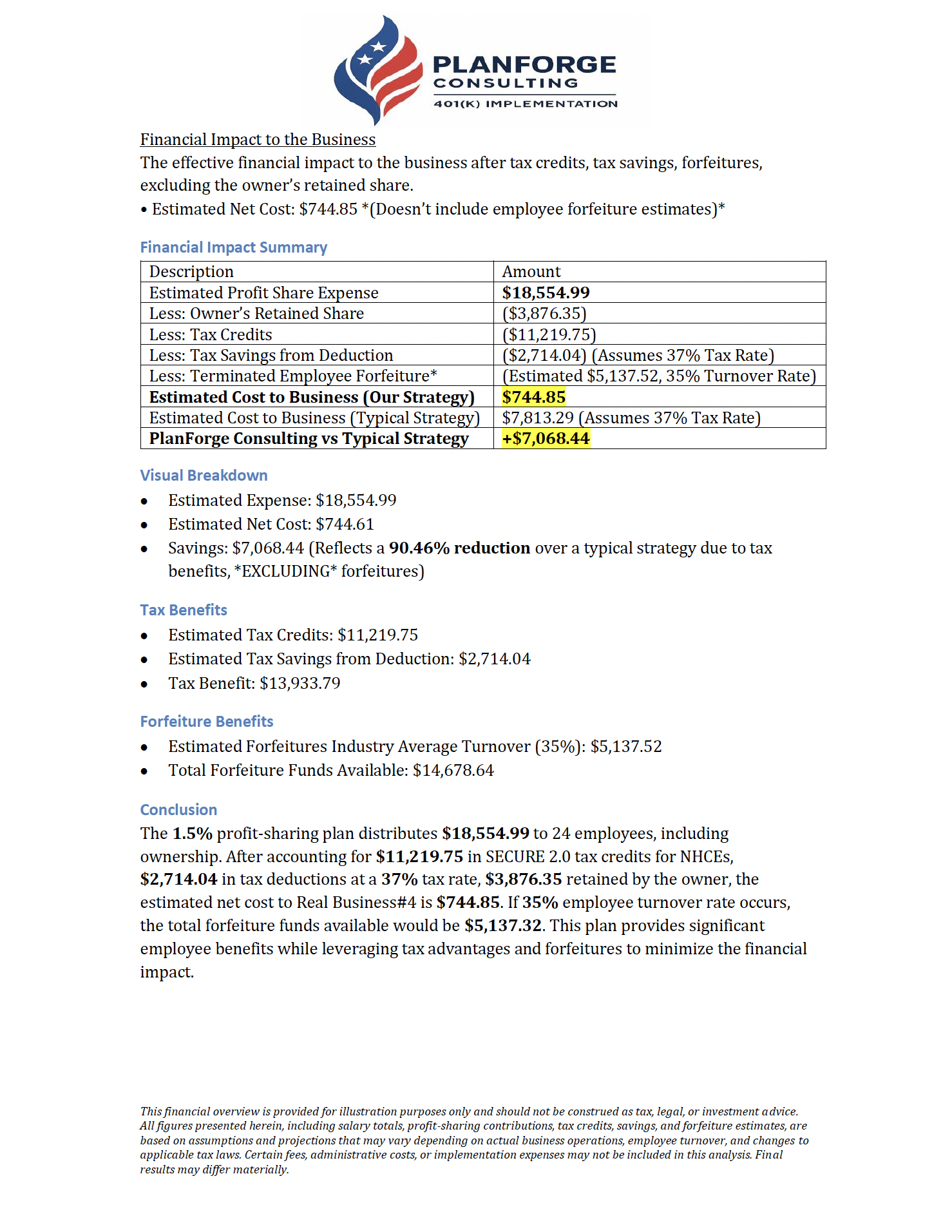
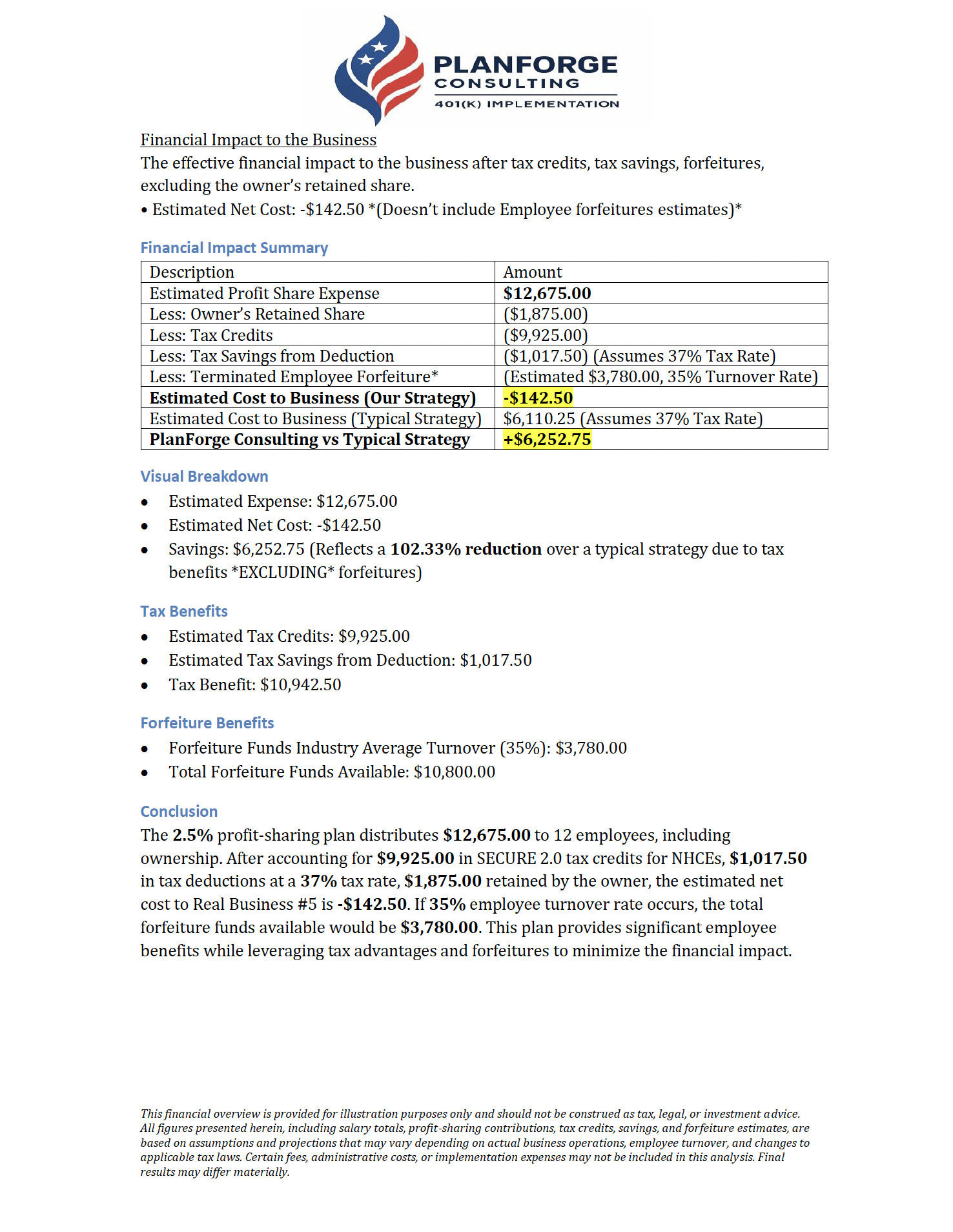
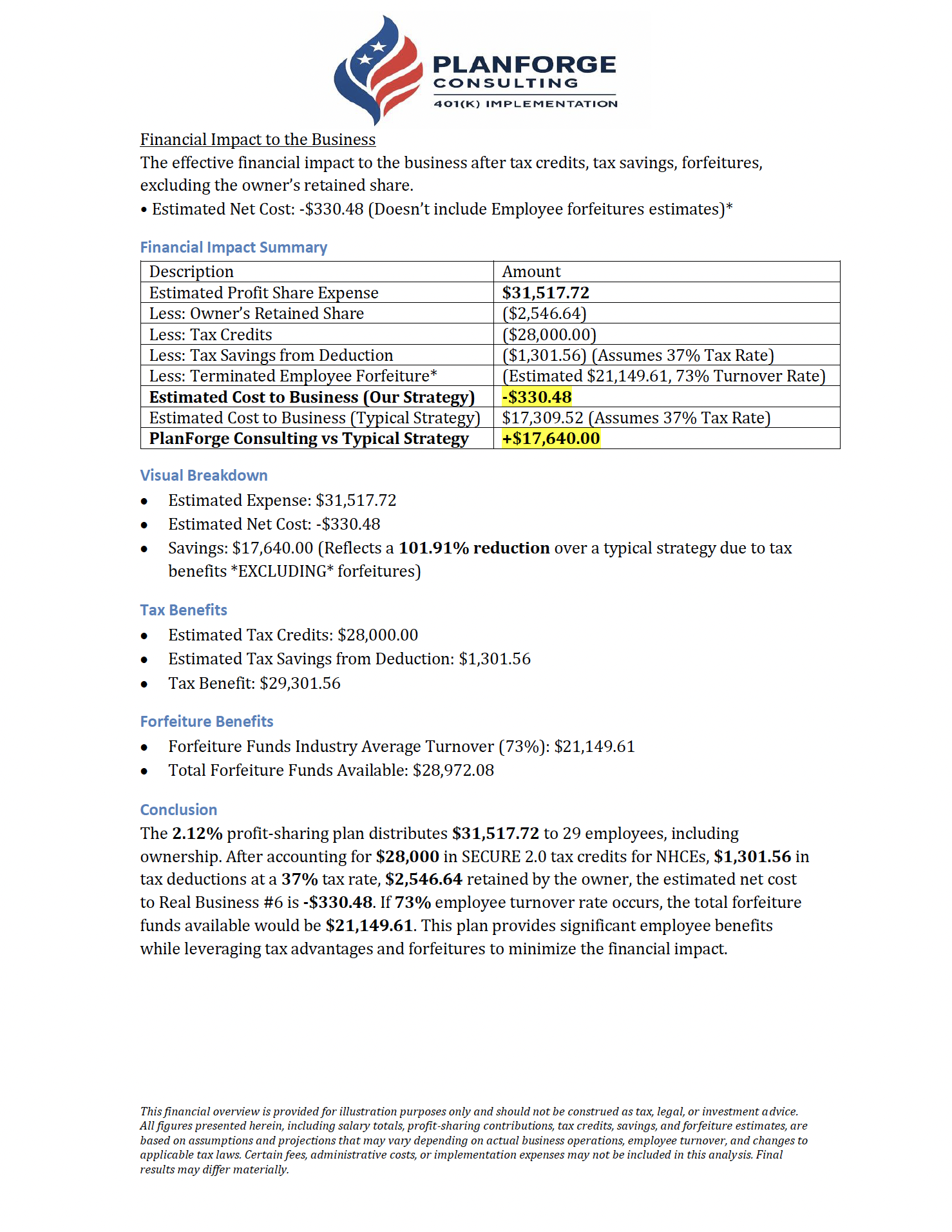
You have seen what a PlanForge 401(k) can do for businesses like yours. Now let us build an illustration tailored to your actual numbers. This short questionnaire (about 5 minutes) gives us everything we need to design a plan around your company's structure, your goals, and your bottom line.
When you are done, we will put together a detailed, personalized report showing your projected tax savings, employer credits, and the net cost of your plan. No obligation, no pressure, just real numbers so you can make a smart decision.
Pay your team, not the IRS.

Family members (siblings, parents, grandparents) with ownership may also create a controlled group. This impacts tax credit eligibility. Owners and their controlled group are not eligible for SECURE Act credits.
Under IRC attribution rules, the following relatives of an owner are considered related parties: spouse, children (and grandchildren), parents (and grandparents), and siblings. If any of these family members work at the company, they are classified differently for plan testing purposes.
Upload your employee list (Excel or CSV) with each person's age, annual pay, and whether they're an owner, HCE, or regular employee. We fill in the form from it when we can, and the file itself is sent to our team securely when you submit.
Have payroll data? Upload an Excel or CSV file to fill in the employee counts and details below.
↓ Excel template ↓ CSV templateADP / RUN Powered by ADP
- Go to Reports > Standard Reports
- Run the Employee Census or Worker Demographics report
- Click Export and choose Excel or CSV
- Save the file, then upload it here
Gusto
- Go to People > Team Members
- Click the Actions dropdown > Download team roster
- The file downloads with names, pay, and dates of birth. Upload it here as is
Paychex
- Navigate to Reports > Employee Information
- Select Employee Listing or Demographics Report
- Set output format to Excel or CSV and click Run Report
QuickBooks Payroll
- Go to Reports > Employees & Payroll
- Run Employee Contact List or Payroll Summary
- Click Export to Excel and upload that file here. No need to convert it
Other Providers
- Look for an Employee Census, Demographics, or Roster report
- Export as Excel or CSV (we accept both)
- The file should include employee names, ages or dates of birth, and annual pay
Employee list, census, or payroll report (Excel, CSV, or PDF, up to 25 MB each)
Only count employees who get a W-2 from the company.
Each employee's age and annual pay for the most accurate cross-testing illustration.
Thank You!
We've received your information. A PlanForge consultant will review your answers and reach out within 1 business day with a preliminary plan illustration.
Want to get started sooner?
Skip the wait, schedule a complimentary plan design consultation directly on our calendar.
Schedule a ConsultationWe'll reach out within 1 business day either way. No action needed.